How to Find the Best Internet Provider at Your Address

Nationwide internet guide
The best home internet plan is not the one with the biggest advertised number. It is the plan that is actually available at your exact address, fits how your household uses the internet, and still makes sense after equipment, installation, and promotional pricing are considered.
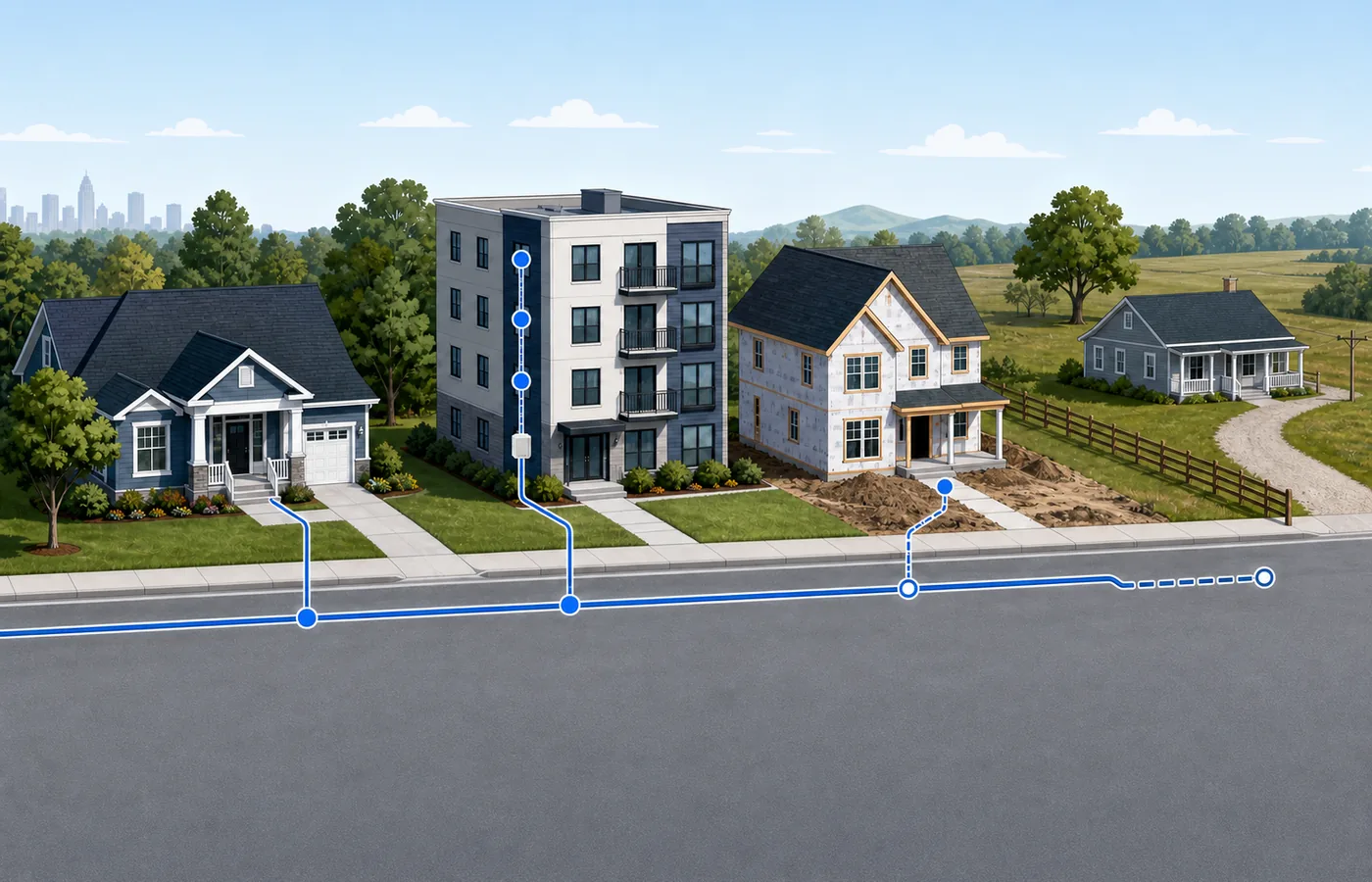
Searching for the best internet provider near me is a useful first step, but neighborhood-level results are only a shortlist. Providers may serve one side of a street, one building, or one apartment unit while being unavailable next door. A complete comparison starts with address qualification, then narrows the choices by connection type, speed, upload performance, total monthly cost, and installation details.
Internet Service USA helps households compare residential and business internet options without pretending that a ZIP code alone can confirm service. Use the process below to turn a broad search into a practical decision for your home.
Find internet service at your address
Enter the full service address to compare providers that may serve the property. Availability and final offers must be confirmed before ordering.
Prefer to speak with someone? Call 844-318-2200.
Why internet availability must be checked by exact address
Internet networks are built property by property. A provider can advertise service in a city or ZIP code without having a usable connection to every address inside it. The final result can depend on the line serving the block, the distance to network equipment, construction history, building wiring, utility access, and whether the address appears correctly in the provider’s system.
The FCC National Broadband Map is a useful second source because it shows reported fixed broadband availability by location. It is not a substitute for a provider order check, but it can reveal options that a comparison tool missed. If the map appears inaccurate, the FCC also explains how to submit an availability challenge.
How to compare internet providers near you
Use the same sequence for every provider. It keeps an attractive headline offer from hiding a weak upload speed, a short promotional period, or an installation problem.
1. Enter the complete service address
Use the street number, directional prefix, apartment or unit number, city, state, and ZIP code exactly as they appear on official mail. If the address is new or recently changed, try the postal format and ask for a manual address review when the provider cannot find it.
2. Make a list of every plausible provider
Combine an address-based comparison tool, the FCC map, local knowledge, and direct provider checks. Include wired and wireless options. A regional fiber company or fixed-wireless provider may not appear in every national directory.
3. Compare connection types before plan names
Technology influences upload speed, latency, consistency, installation, and upgrade potential. Plan names change often, so compare the underlying connection first.
| Connection | Typical strengths | Important questions |
|---|---|---|
| Fiber | Strong download and upload performance, low latency, and room for future speed upgrades. | Does fiber reach this exact property, and are upload speeds symmetrical? |
| Cable | Fast downloads and broad availability in many communities. | What is the upload speed, regular price, and data policy? |
| Fixed wireless or 5G home internet | Simple installation and a useful alternative where wired choices are limited. | How strong is the signal indoors, and can speeds slow when the local network is busy? |
| DSL | May reach addresses without cable or fiber. | What speed can the specific line support, and is a newer technology available? |
| Satellite | Broad geographic reach, including many rural properties. | What are the latency, equipment, data, obstruction, and weather considerations? |
No technology wins automatically. A stable cable plan can be a better fit than weak fixed wireless, while a well-installed fiber connection may be worth more to a household that uploads large files every day.
4. Match speed to simultaneous use
Count what happens at the same time, not merely how many devices are connected. Streaming televisions, video meetings, cloud backups, game downloads, cameras, and smart-home devices can overlap. Official application guidance is a helpful floor: for example, Netflix publishes separate recommendations for HD and 4K streaming, while Zoom lists bandwidth guidance for different meeting modes and video quality levels.
| Household pattern | Reasonable comparison range | What to watch |
|---|---|---|
| One or two light users | 50 to 100 Mbps | Basic streaming, browsing, and occasional video calls. |
| Two to four mixed users | 100 to 300 Mbps | Several simultaneous streams, meetings, and routine downloads. |
| Busy household or frequent large downloads | 300 to 500 Mbps or more | Concurrent high-resolution video, large game downloads, and many active users. |
| Creator, remote office, or cloud-heavy home | Compare upload speed as carefully as download speed | Large transfers, backups, live video, and shared cloud work can expose weak uploads. |
These ranges are comparison starting points, not guarantees. Wi-Fi quality, device capability, plan provisioning, and network conditions also affect real-world performance.
5. Check upload speed and latency
Download speed dominates advertising, but upload performance affects video calls, cloud backups, security cameras, remote desktop, livestreaming, and sending large files. Ask for the plan’s advertised upload speed and compare it separately. Gamers and real-time workers should also consider latency and connection stability.
6. Calculate the true monthly cost
Write down the cost at order, the cost after the promotional period, and every recurring or one-time charge you can identify. Compare:
- Promotional monthly price and its duration
- Regular monthly price
- Gateway, modem, router, or mesh Wi-Fi charges
- Installation, activation, or professional setup charges
- Data allowances and overage terms
- Autopay or paperless-billing requirements
- Contract length, early-termination terms, and price guarantees
- Taxes and other location-specific charges
A plan with a slightly higher starting price may be the better value when it includes equipment, better upload performance, or a longer price guarantee.
7. Confirm installation and support details
Ask whether the address qualifies for self-installation, whether a technician needs access to a utility room or exterior line, and how soon service can begin. Renters should confirm any building-access rules before scheduling. If reliable internet is essential for work, ask what happens if the first appointment cannot complete the installation.
A simple internet provider scorecard
Give each provider the same questions and record the answers. A short scorecard makes tradeoffs visible and gives you a written reference when it is time to order.
| Factor | What to record | Why it matters |
|---|---|---|
| Exact-address availability | Available, pending review, or unavailable | Only a serviceable property can become an active account. |
| Connection type | Fiber, cable, fixed wireless, DSL, or satellite | Technology shapes performance and installation. |
| Download and upload | Both advertised directions | Uploads and simultaneous use are easy to overlook. |
| Total cost | Introductory, regular, equipment, and installation | The lowest headline price is not always the lowest real cost. |
| Terms | Data policy, contract, price guarantee, cancellation | Terms can change value over the life of the plan. |
| Installation | Date, self-install option, access needs | A good plan is not useful if it cannot be installed on time. |
| Support fit | Contact options and local availability process | Clear escalation matters when an address or wiring issue appears. |
Compare the address before comparing the ads
Start with the property, then evaluate speed, technology, price, and installation using the same scorecard.
Nationwide help: 844-318-2200.
Which internet option fits your household?
Best for streaming and everyday home use
Choose enough capacity for simultaneous streams and routine downloads, then focus on price stability and Wi-Fi coverage. More speed will not repair poor router placement or an overloaded wireless network inside the home.
Best for remote work and video meetings
Prioritize consistent service, upload speed, low latency, and a workable backup plan. Ethernet from the gateway to a primary workstation can improve reliability even when the internet plan itself does not change.
Best for gaming
Look beyond gigabit headlines. Latency, jitter, packet loss, local congestion, and the quality of the home network can matter more than maximum download speed once the plan has enough capacity.
Best for creators and cloud-heavy homes
Compare upload speed first. Video uploads, cloud backups, livestreaming, media collaboration, and off-site storage can make an asymmetric cable or DSL plan feel slower than its download number suggests.
Best for a smart home
Most connected devices use modest bandwidth, but cameras and cloud-recording systems can create continuous upload demand. Check Wi-Fi coverage, device security, gateway capacity, and whether important devices can use Ethernet.
Best for a home-based business
A residential plan may be enough for some solo businesses, while others need business support, static IP options, service commitments, or faster recovery when service fails. Review Internet Service USA’s provider guides and compare residential terms with any available business offering.

Special address situations
Apartments and multifamily buildings
An apartment can be inside a provider’s coverage area but unavailable to a particular unit. Check the complete unit number, ask management which companies have building access, and confirm whether the utility room or communications closet is accessible for installation. Do not assume an exclusive marketing arrangement means no alternative exists, but do verify building rules before ordering.
Moving to a new address
Check the new property as soon as the address is known. Schedule installation before move-in when possible, but keep the old connection active until the new order and appointment are confirmed. A transfer with the same provider can still involve different plans, speeds, equipment, or serviceability.
New construction
New homes sometimes exist physically before they appear in provider databases. Ask for an address validation or serviceability ticket. Useful details include the parcel address, nearest recognized home, subdivision name, builder contact, and whether conduit or utility lines have been installed.
Rural properties
Check fiber, cable, fixed wireless, DSL, and satellite instead of stopping after the first result. Terrain, trees, tower visibility, long driveways, and line-extension costs can affect the practical options. A cellular hotspot may help temporarily, but verify data and indoor signal before treating it as a permanent replacement.
Small businesses and mixed-use properties
Confirm that the provider recognizes the address as commercial when needed. Ask about installation access, static IP requirements, support expectations, voice services, and whether a residential or business account is appropriate for the use of the property.
What to do when availability tools disagree
Conflicting results are common enough that they should trigger a second check, not an immediate decision.
- Verify the exact postal spelling and unit format.
- Try the provider’s own address checker.
- Ask the provider for a manual serviceability review.
- Check the FCC map for the individual location.
- Look for nearby provider equipment or recently completed construction without assuming it guarantees service.
- Ask a landlord, property manager, builder, or prior occupant what was installed.
- Save confirmation numbers and written quotes before scheduling.
When a provider says service is unavailable but nearby homes are connected, ask whether the barrier is an address-record problem, a full network port, missing building access, or a required line extension. Those are different problems and may have different solutions.
Common mistakes when choosing home internet
Choosing by maximum download speed alone
A faster advertised tier may add cost without improving daily use. Balance capacity with upload performance, latency, Wi-Fi quality, and the devices that will be active together.
Treating the promotional price as the permanent price
Record when the promotion ends and what the regular price is expected to be. Also note equipment and autopay conditions.
Ignoring the home Wi-Fi setup
The service can reach the gateway correctly while distant rooms still perform poorly. Put the router in a central, open location when possible, use Ethernet for stationary high-demand devices, and consider an appropriate mesh or access-point design for a larger property.
Ordering before confirming installation access
This causes avoidable delays in apartments, gated properties, businesses, and homes that need new exterior work. Ask who must be present and what areas the technician needs to reach.
Canceling the old provider too early
Wait until the new connection is installed and tested. This is especially important for remote workers, businesses, and moves where an address record is still being corrected.
Compare providers and local availability
Frequently asked questions
How do I find internet providers at my exact address?
Enter your complete service address into an address-based availability tool, compare the results with the FCC National Broadband Map, and confirm service directly with each provider before ordering.
Is a ZIP code enough to check internet availability?
No. A ZIP code shows providers operating in a general area but does not confirm service to a particular home, building, or apartment.
What is the best type of home internet?
Fiber is often an excellent option because of its download and upload performance, but the best choice depends on what is available, the total cost, household needs, and installation requirements.
How much internet speed do I need?
Many households can begin comparing plans between 100 and 500 Mbps, while larger or heavier-use homes may benefit from faster service. Simultaneous use and upload needs matter more than device count alone.
Should I choose the cheapest internet plan?
Choose the plan with the best total value, not merely the lowest promotional price. Compare the regular price, equipment, installation, fees, data terms, upload speed, and contract conditions.
Can I choose any internet provider in an apartment?
Not always. Provider access can depend on building wiring, management arrangements, utility-room access, and whether the company recognizes your exact unit as serviceable.
What should I do if a provider says my address is unavailable?
Request a manual serviceability or address review, verify the address format, check nearby service, consult the FCC map, and investigate regional or wireless alternatives.
How early should I arrange internet before moving?
Begin checking as soon as you know the new address and try to schedule installation before move-in. Keep existing service active until the new provider confirms the order and appointment.
Ready to compare service at your address?
Start with the full property address. Internet Service USA can help you compare the providers, connection types, and next steps that fit the location.
Call Internet Service USA at 844-318-2200.

Research methodology: Internet Service USA compares address-level provider results with official provider information and public broadband resources. Availability, plans, prices, and terms can change and must be confirmed before ordering.
Last verified: August 20, 2026.
Check Internet Availability at Your Address
Enter your street address to compare verified fiber, cable, 5G, and satellite providers with live pricing and speeds.
