What Internet Providers Are Available at My Address? The Complete 2026 Guide
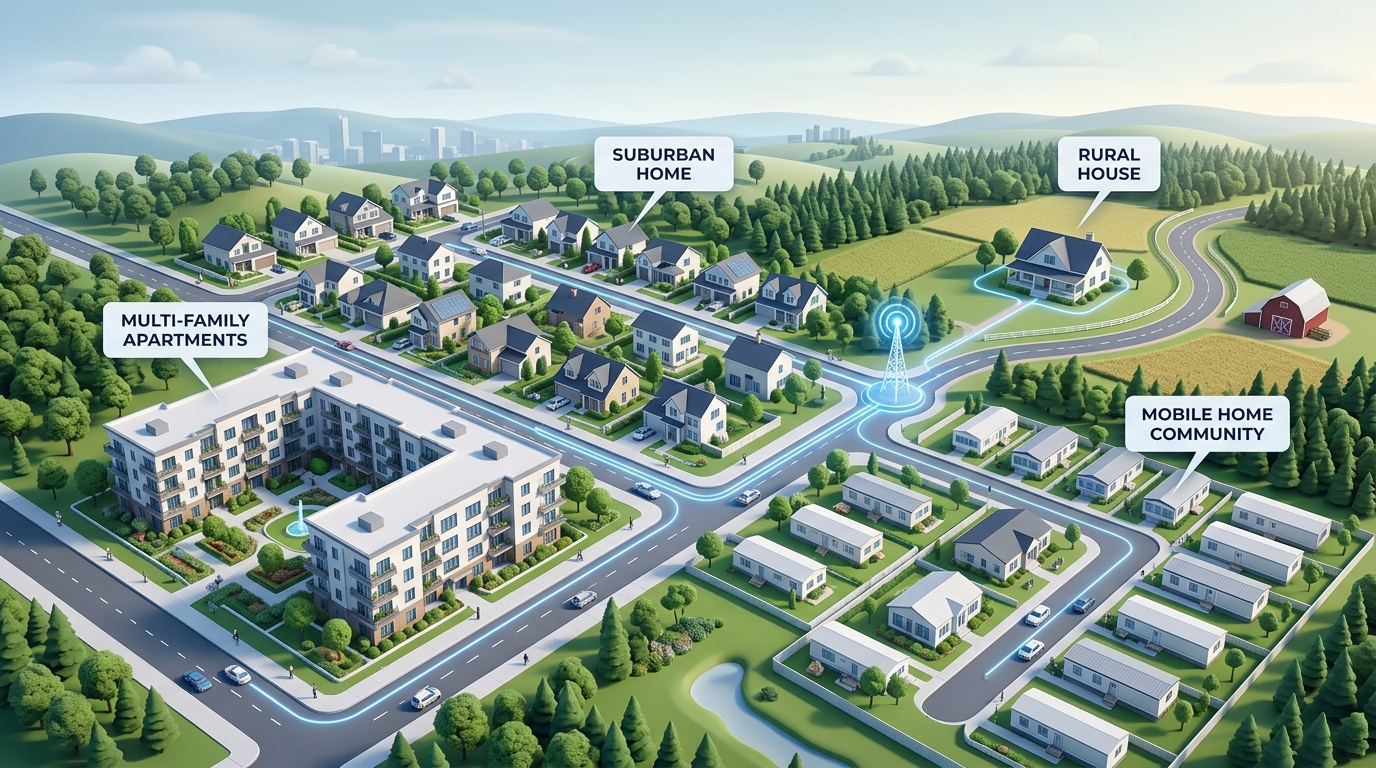
Address Qualification & Availability Guide
The best home internet plan is not the one with the biggest advertised speed number. It is the plan that is actually available at your exact address, fits how your household uses the internet, and remains a strong value after equipment fees, installation costs, and promotional discounts are factored in.
Searching for internet providers at my address is the most critical first step in setting up home Wi-Fi. Broad citywide or ZIP-code-level lists only provide a rough starting point. Because broadband infrastructure is built property by property, a provider might serve one side of your street, a specific floor in an apartment building, or an adjacent subdivision while being completely unavailable at your front door.
This comprehensive 2026 guide covers everything you need to know about checking internet availability for single-family homes, apartments, condominiums, townhomes, mobile home parks, RV residents, new construction, and commercial properties.
Find internet service at your address
Enter your full service address to compare verified providers that serve your location. Availability and promotional offers must be confirmed prior to ordering.
Prefer to speak directly with an internet specialist? Call 844-318-2200.
Why internet availability must be checked by exact address
Broadband networks are engineered with physical distribution nodes, fiber splice enclosures, and coaxial taps. A provider may advertise service across an entire ZIP code, but physical connectivity can stop abruptly due to natural obstacles, municipal franchise boundaries, highway crossings, or lack of pole attachment rights.
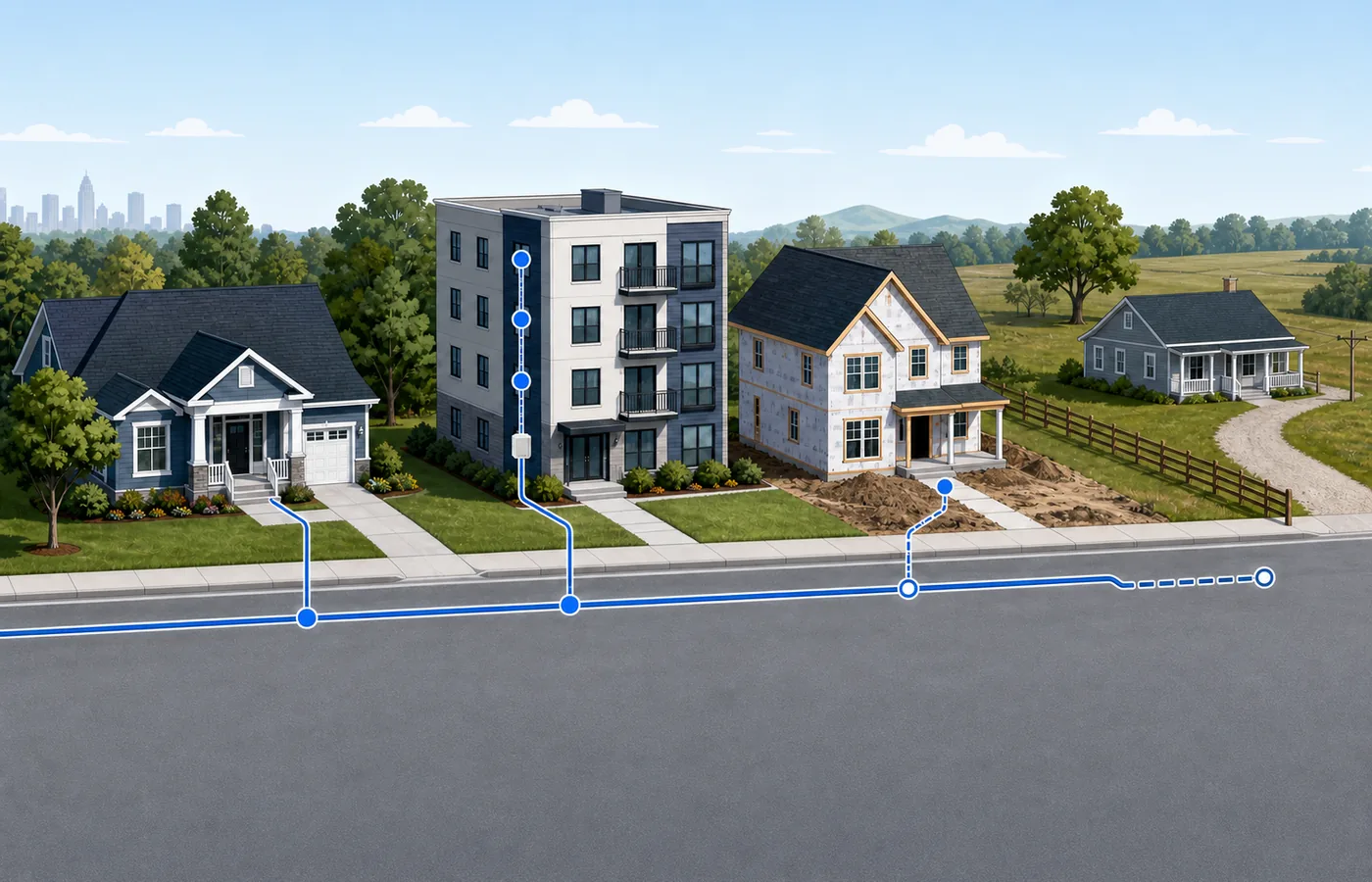
To qualify service accurately, comparison platforms must verify parcel-level data against carrier plant maps. The FCC National Broadband Map provides a foundational view of serviceable locations, but direct carrier database qualification remains the industry standard before placing an order.
Internet connection types available in the United States
Understanding the underlying technology wired to your home helps you set realistic expectations for upload speeds, latency, and overall network reliability.
| Connection Type | Typical Strengths | Potential Limitations | Best Use Cases |
|---|---|---|---|
| Fiber (FTTH) | Symmetrical download/upload, ultra-low latency, maximum reliability. | Limited geographic footprint; address-specific buildouts. | Remote work, content creators, gaming, smart homes. |
| Cable (HFC) | Widely available, gigabit download speeds, easy self-installation. | Asymmetrical speeds (slower upload), shared neighborhood nodes. | Streaming 4K video, multi-user households, everyday browsing. |
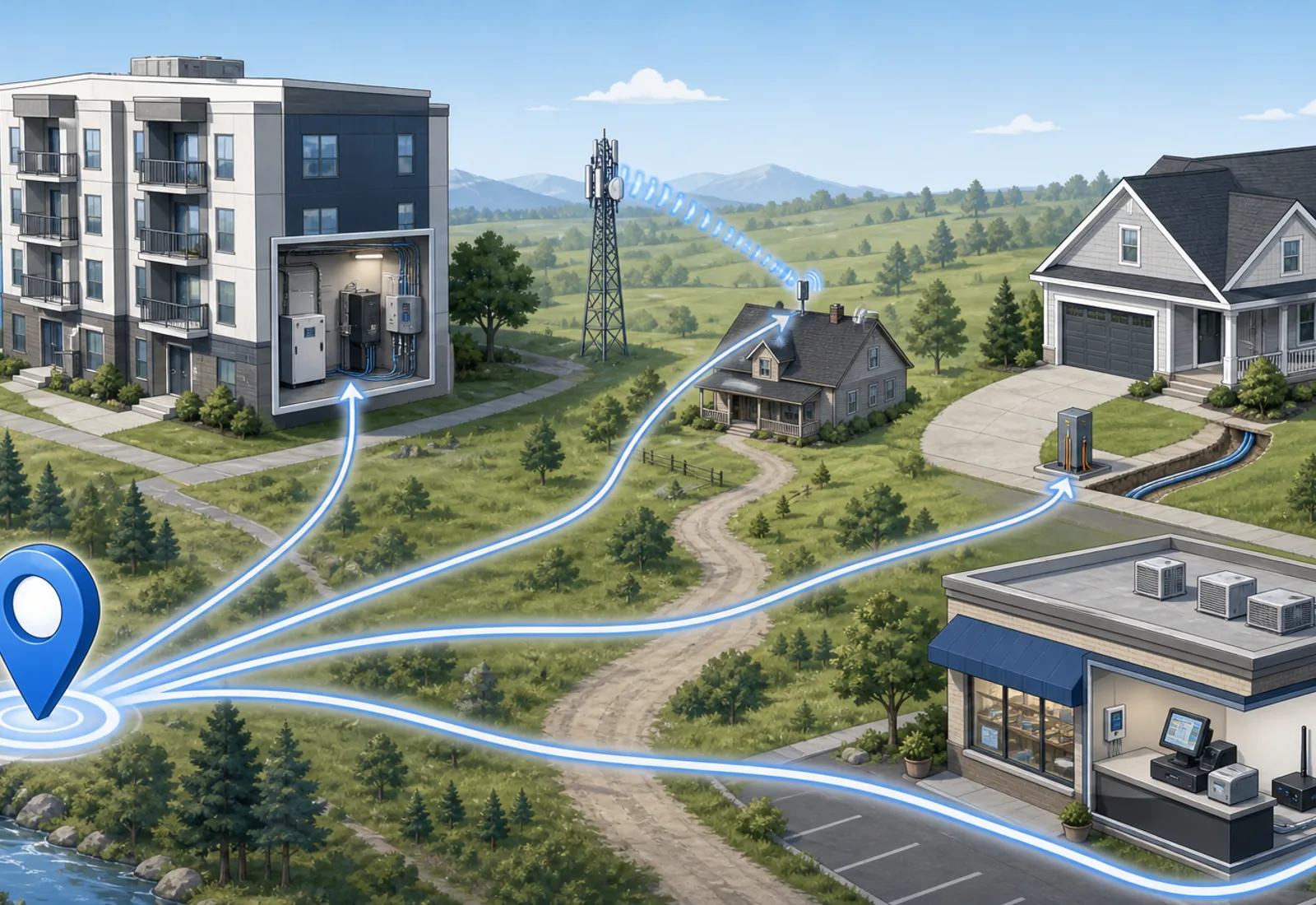
| 5G Home Internet | No line installation required, fast setup, competitive pricing. | Speed varies by cell tower proximity and congestion. | Renters, apartments, locations lacking fiber or cable. |
| Satellite (LEO / GEO) | Available anywhere with a clear view of the sky. | Higher latency, weather sensitivity, upfront hardware costs. | Rural properties, remote areas, mobile RV living. |
| Fixed Wireless | Reaches rural areas without buried cables; low line-run latency. | Requires line-of-sight to local broadcast tower. | Suburban outskirts, agricultural areas, rural communities. |
Internet availability by property type
Single-Family Homes
Single-family residences typically have the highest number of choices. Homeowners can select from any provider with lines running along the street or utility easement, including fiber-to-the-home and coaxial cable.
Apartments and Condominiums
Multifamily dwellings (MDUs) often operate under exclusive marketing or bulk-wiring agreements between property managers and specific telecom carriers. If your building is only wired for one cable provider, fixed wireless or 5G home internet can offer a flexible alternative that requires zero drilling or landlord authorization.
Mobile Homes and Manufactured Home Communities
Manufactured homes on private land follow standard residential guidelines. However, in private mobile home parks, the community management controls utility access on private roads. If the park has not signed a franchise agreement with a national cable or fiber carrier, residents frequently turn to 5G home internet, fixed wireless, or satellite services.
RV Parks and Rural Properties
For RV park operators, commercial fiber backhaul with enterprise mesh access points is essential. For traveling or seasonal RV residents, low-earth-orbit satellite services (such as Starlink) and cellular hotspots provide reliable connectivity off the grid.
New Construction
Never assume a newly constructed home is automatically connected to the internet. Builders must coordinate conduit installation with local utility companies. Verify availability 30 to 60 days before closing to ensure lines are dropped and activated prior to move-in.
Internet checklist when moving to a new address
- Check address availability early: Research prospective addresses 30 days before moving to prevent surprises.
- Compare connection technologies: Moving from fiber to cable or fixed wireless may require adjustments in expected upload speeds.
- Schedule installation appointments in advance: Technician schedules fill up quickly at the beginning and end of each month.
- Confirm equipment requirements: Check whether you need a technician visit or can use a self-install kit.
- Return existing equipment: Secure a return receipt for old modems or gateways to avoid unreturned equipment charges.
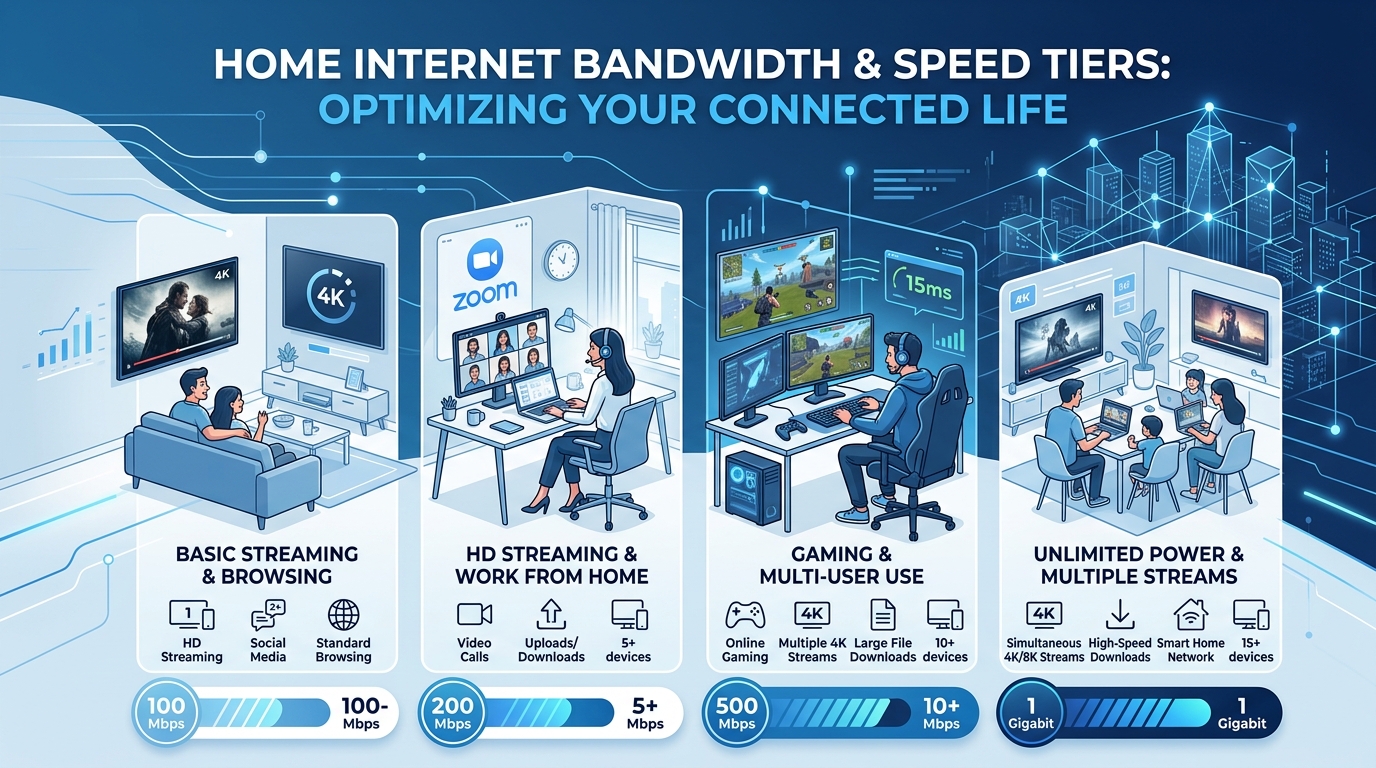
How much internet speed do you actually need?
| Household Profile | Recommended Download Speed | Upload Speed Priority | Ideal Activities |
|---|---|---|---|
| 1–2 Light Users | 100–200 Mbps | Standard (10–20 Mbps) | Web browsing, HD streaming, social media. |
| 3–4 Active Users | 300–500 Mbps | Moderate (20–50 Mbps) | Simultaneous 4K streaming, video calls, work from home. |
| Power Users & Gamers | 500–1,000 Mbps | High / Symmetrical (100+ Mbps) | Low-latency multiplayer gaming, large file transfers, cloud backups. |
| Smart Home & Creators | 1,000+ Mbps (Gigabit) | Symmetrical Fiber (1,000 Mbps) | Security camera feeds, 4K video uploads, multi-device ecosystems. |
Major internet providers you may encounter
Depending on your region and address, you may qualify for one or more national and regional broadband carriers:
- Xfinity: The nation’s largest cable network, offering widespread gigabit download speeds and flexible bundle options.
- AT&T: Premium 100% fiber network with symmetrical multi-gig tiers and reliable IPBB coverage.
- Spectrum: Reliable cable coverage across 41 states with no data caps and contract buyout programs.
- Frontier: Expanding fiber footprint delivering fast symmetrical speeds to suburban and rural markets.
- EarthLink: Broad national reach delivering fiber, wireless home internet, and DSL connections.
- Starlink: High-speed, low-latency satellite broadband engineered for rural and remote locations.
Frequently asked questions
What internet providers are available at my address?
Availability varies street by street. Major providers include fiber networks (like AT&T Fiber or Frontier), cable providers (like Xfinity or Spectrum), 5G home internet (T-Mobile or Verizon), and satellite services (Starlink). Checking your exact street address is the only way to know which wired or wireless connections reach your home.
How do I check internet availability at my exact address?
Enter your complete street number, street name, unit number, and ZIP code into an address-based availability tool. Compare results with provider service maps and verify with the provider before placing an order.
Why does my neighbor have fiber internet but I do not?
Fiber lines are laid along specific utility paths, easements, and rights-of-way. If an underground conduit or pole line ends before reaching your property, or if your property is on a different distribution terminal, fiber may not be connected yet.
Can two houses on the same street have different internet providers?
Yes. Municipal franchise boundaries, different utility pole runs, and historical cable build-outs often split streets down the middle or stop at specific parcel lines.
What internet options are available for apartments and condos?
Apartments often depend on existing building wiring and property management agreements with specific cable or fiber providers. If wired choices are limited, 5G home internet is a popular alternative that does not require landlord installation permissions.
What internet is available for mobile homes and manufactured home parks?
On private land, standard cable, fiber, 5G, or satellite options apply. In mobile home parks, private road ownership and utility access agreements dictate whether wired providers can enter, making 5G and satellite common solutions.
Can I order internet before moving into a new home?
Yes. You should check provider availability 2 to 4 weeks before your move-in date and schedule installation for the day of or day after move-in to avoid connectivity gaps.
How much internet speed does an average household need?
A typical household with 2 to 4 users streaming video and browsing generally needs 100 to 300 Mbps. Households with remote workers, content creators, or frequent large game downloads benefit from 300 to 500+ Mbps with strong symmetrical upload speeds.
Ready to compare internet service at your address?
Start with your exact service location. Internet Service USA helps you compare local providers, connection types, speeds, and real monthly costs.
Call our broadband specialists at 844-318-2200.

Research methodology: Internet Service USA analyzes carrier service footprints, address-level qualification databases, and public broadband data. Availability, plans, speeds, and promotions vary by address and must be confirmed prior to ordering.
Last verified: August 21, 2026.
Check Internet Availability at Your Address
Enter your street address to compare verified fiber, cable, 5G, and satellite providers with live pricing and speeds.
